Dear Future Makers,

It’s the final day of my Makers experience and I’m on the train down to London for the careers fair, so I thought I’d chuck in my two cents about what you can do to make your Makers experience fantastic. Good luck, and Slack me — I like meeting people!

Paula

  1. Boundaries
    I was a little worried when I read in a description of Makers students that you will “eat, breathe, and sleep code”. I’d done an intense undergrad where I didn’t sleep for four years, but I’m 30 now and I like to go to bed at 11pm. So I figured out pretty quick that in order to keep my sanity, I’d have to put strict boundaries in place. For me, this meant:
  • lunchtimes are for taking walks (while eating Huel) or coffees with friends and not for doing anything code-related
  • No coding before 9:30am or after 6pm
  • Say no to work when you’re too exhausted to work effectively. This saves you time in the long run.

Your own boundaries may look different but I encourage you to make sure you spend time away from coding — your brain will need a rest and you’re still human and need fun time!

2. Meditate
Or yoga or Alexander technique or gym or whatever it is you do to relax. Mindfulness meditation is a great way of settling your brain, clearing out all the crap and worries and stress. I meditated with a pair partner on the course — at 8:50am every morning we’d meditate (she in Paris, I in Cambridge) and send each other a meditation emoji when we’d finished. Talk to Dana if you need help getting started.

3. Work smart, not hard
If you’re up until 2am working, you’re doing it wrong. Use the pomodoro technique (there’s a great Chrome extension) and don’t work for more than two pomos on a problem without asking for help. If you’re stuck, take a break, go for a walk, sleep on it…you’ll come back to it refreshed and the solution may magically pop into your mind. Also, don’t merge to master branches when you’re in a rush. This never ends well.

4. Diagram first
The physical act of writing 100 lines of code takes five minutes. Making those lines of code work really well takes a lot more preparation. Especially if you’re working on a team, make sure you are on board with building the same thing.

5. Let go of your ego
Full disclosure, this is the one I struggle with the most, so this advice is primarily directed toward me.

Listen more than you talk. Ask yourself what’s best for your pair or team, not what’s best for you. As one of my best friends and I say to each other, “Isn’t it annoying when other people don’t do exactly what you want, in the way and time that would suit you?” It is annoying and you’re not alone. Acknowledge that annoyance, take a step back, breathe, remember that it’s only code and at the end of the day, people > code.

And remember that Makers is the beginning, not the end of your coding journey. You’ll have plenty more chances to build all the features and use all the tech that you don’t get to on the course.

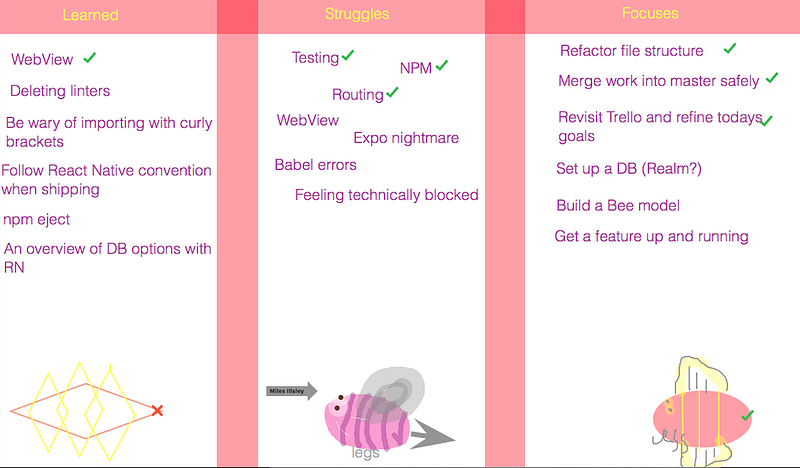
A final project standup — note the excellent bee art, a key theme in our work.

6. Communicate
Running late to standup? Slack the team! Feeling ill and need to take a day off? Slack the team. Pipe burst in your kitchen and you almost get insanely flooded before figuring out how to turn off the water and your heart rate is way up and you haven’t had coffee? Slack the team. (This happened to me.)

People are not mind readers (thankfully!). If you are ill/tired/stressed, they will not know and you may come across as uncaring when in fact you just need time off. Have the courage to communicate that.

7. Courage/vulnerability
You’re going to be in an uncomfortable space of not knowing things. Especially if you’ve already been a working professional, you will be frustrated to be back at square one. I know I spent the first couple weeks on the course feeling like the village idiot, and thankfully our coach said that even if we were the absolute worst person on the course, we’d still get a job and do well. So be proud of yourself for having the courage to take this step, and walk into the vulnerability of being a beginner again. And if you need some company, read this blog from my first weekend on the course.

8. Do something tactile
Colouring in, jigsaw puzzles, gardening, Play-Doh, Legos, music…find something creative that doesn’t involve looking at any screens and involves your body.

9. Blog
Writing about your experience is a great way to reflect on your learning. And reflecting on your learning means analysing, learning from, and improving. If you’re not comfortable writing for the public, keep a private journal. It’s amazing to look back and see the things you struggled with a month ago are now second nature.

10. Have fun!
Remember that you are spending three months of your life LEARNING HOW TO CODE!!!! How totally awesome is that?? Remind yourself of this! And make sure to check out the Stack Overflow page of programmer jokes. And have Zoom drinks with your cohort (‘the cohort that drinks together thinks together’, I like to say).

Good luck on your Makers journey! ​​

A friendlier type of nuking

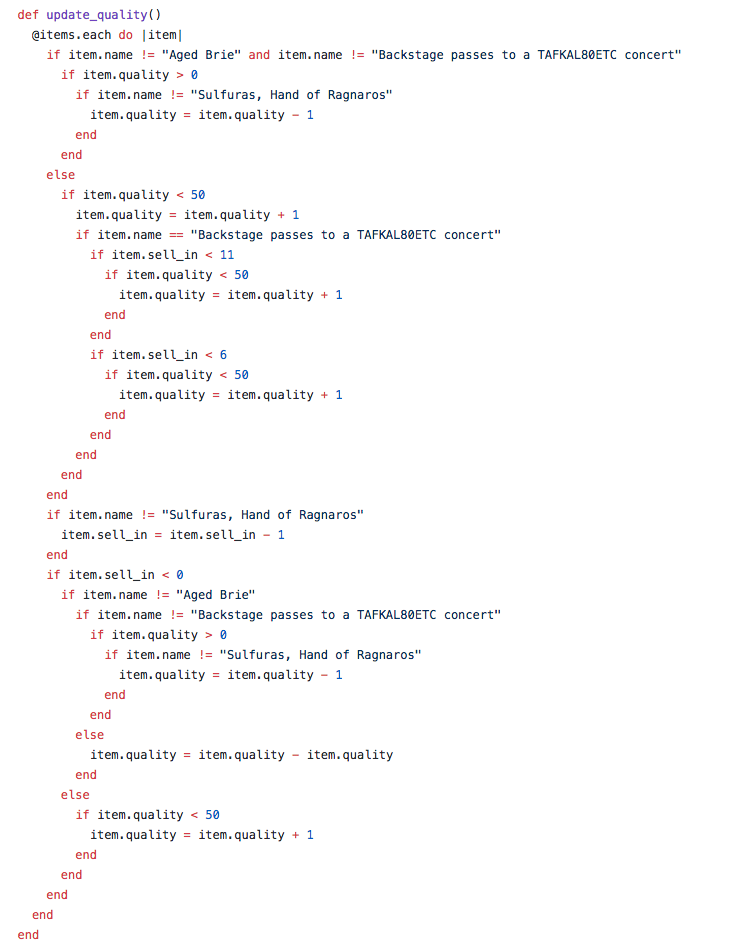
Our practice tech test for the past two days at Makers Academy was? Refactoring some hideous legacy code. See that method above? That SINGLE method that is over 40 lines long and bursting with nested if/else conditionals?

Yep, that one. So we had to refactor it AND THEN add an additional item type.

(Ever heard of a squint test? Screw up your eyes and just look at the layout — see all those arrows? A bad sign.)

So this is what I did:

1. Wrote some tests
There was one pre-existing test, which was pretty meaningless anyway. I had no idea what all this code was meant to do, nor did I have any intention of losing myself in a forest of nested conditionals. I read the specs and wrote tests to pass the specs. As luck would have it, the hideous nests actually did work, so eventually I had a full suite of tests and a good knowledge of what the program was designed to do.

2. Deleted everything in the update_quality method
Nuking is not always the best method for refactoring, but that code was just irritating me. Luckily I had tests to guide me so I wasn’t too worried about writing the code.


3. Googled ‘ways to refactor nested conditionals’
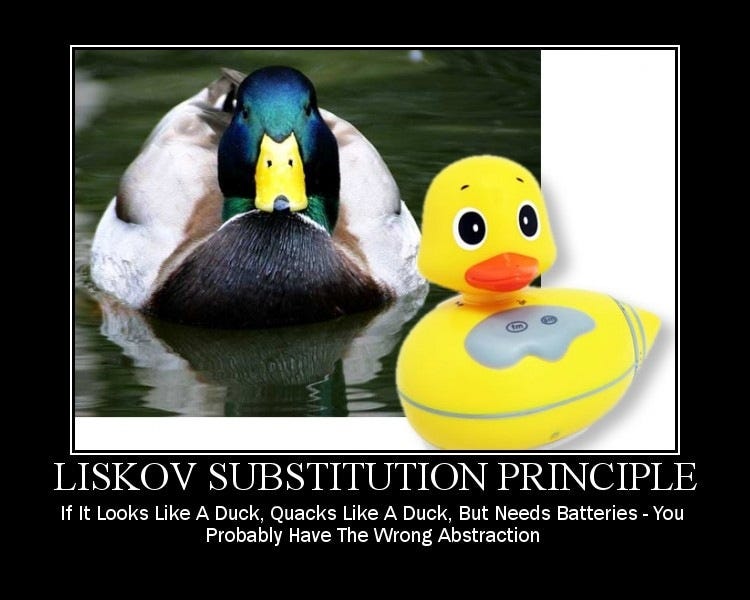
Came up with references to duck typing

4. Took a nap in the sunshine
Seriously. I was tired at this point and knew I had to have a clear grasp of the design before moving forward. So a nap sounded good.

5. Read POODR’s chapter on duck typing
A lot. Also looked into inheritance but that seemed possibly messy.

A big issue at this particular moment was the instruction that I wasn’t allowed to change the item class. Duck typing was a great solution, but it would require changing the item class, which would apparently upset a goblin.

​​6. Damn the goblin, I’m writing well-designed code
Once I made that decision, it was full steam ahead with TDD’d duck typing. I ran into some snafus about how I was storing and calling objects, but after a few hours had sorted those out and it was really simple. I ended up with several small classes and super-extensible code. I added the new feature on in about half an hour, complete with full testing.

7. Inheritance!
At this point I felt I’d done enough original work to watch Sandi Metz’s video on the Gilded Rose. In it, she mentioned that inheritance isn’t always bad, as long as all of the subclasses share the behaviour of the superclass. So I thought, hey why not DRY this out a bit more and create a Product class which will contain the instantiation behaviour common to all the objects? Easy!

8. Satisfying the goblin
On my way back from the gym later that day, I had an epiphany: I could in fact satisfy the absurd goblin by making the original Item class the superclass and having all the other classes inherit their behaviour! It meant a bit of name-switching (my product and item classes switched names, along with all attendant methods), and the one downside is I couldn’t work out how to throw the errors upon instantiation without changing the item class, so the goblin’s code has slightly less functionality. Still, I’m pretty damn happy with this duck typed, inherited code.

You can check out the full code on my GitHub repo. It should be pretty self-explanatory!

Master branch (with errors for instantiating with disallowed max/min quality)
Item-class branch (item class totally unchanged from original repo)

Don’t hesitate to get in touch if you have more ideas on duck typing, inheritance, or just want to chat code. I’m friendly and I like meeting people!

The refactored method

6/7/2017

So you’ve read my blogs Why TDD and 5 Steps to Good TDD and you think, that’s great, makes a lot of sense.

Then it comes time to write the code and you have a tight deadline and testing just goes by the wayside. Sound familiar?

So here are some good ways to motivate yourself and your team to actually practise TDD.

1. Have a test coverage race!
Simplecov will record your unit test coverage for Ruby and I’m sure other frameworks have similar coverage units. Figure out an appropriate prize (honor? a pint? ice cream?) and give it to the person or team with the highest test coverage. Or if you’re on your own, you choose the prize!

2. Understand that TDD is a form of delayed gratification
You’re balancing the immediate reward of having a feature to show off against the later and bigger reward of having a debuggable and extensible feature. It’s in our nature to want immediate gratification but building the discipline to delay it means you’ll end up with better features. Delayed gratification is a useful skill in many areas of life, so you definitely won’t lose anything by strengthening that skill while programming.

3. Spend a week rigorously TDDing and find out if your code is actually better
We humans aren’t always great at accurately judging how we spend our time. TDD may seem slow, but why not actually measure your progress with it? Some ideas of things to track: how many bugs are deployed, average time spend solving each bug, how easily you can make changes and catch bugs.

4. Read research on TDD efficiency
A quick Google search led me to quite a lot of papers on the efficiency of TDD. It’s midnight, and I have only glanced at a few, but it’s probably better to read those than spend a week tracking your own code (although sometimes the hands-on approach is best). In particular:

“This study finds that Test-Driven Development provides a substantial improvement in code quality in the categories of cohesion, coupling, and code complexity.” –Rod Hilton

“We observed a significant increase in quality of the code (greater than two times) for projects developed using TDD compared to similar projects developed in the same organization in a non-TDD fashion.” -T. Bhat

Is there hard evidence of the ROI of unit testing? A very interesting Stack Overflow thread.

5. Sing the Ballad of RSpec
Testing is definitely an epic adventure, so you need questing music to go along with it. I’ve written this ballad — apologies to those who test in other languages but I’m sure you’ll still enjoy it. I’ll record it at some point, and then you can really get into the testing groove.

Read my other posts:
Why TDD
5 Steps to Good TDD

6/7/2017

In the first of three blog posts about TDD, I discussed why TDD is important.

In this post, I’ll highlight five behaviours that will make your TDD much more effective.

1. Write the test first
Obvious? Yes. Easy? No. But it’s really important to make sure your test can fail (is red) — if it can’t fail, then there’s no point in writing it, because it’s vacuous (won’t tell you anything). Don’t you dare write a single line of code before having a failing test!

2. Solve one error at a time
It’s tempting to jump ahead when you know what the next two steps should be. But get in the habit of being rigorously methodical about your test-solving. If you have a no-method error, define the method but don’t let it do anything. Let the error messages guide you.

Again — obvious but difficult to do.

3. Run your tests before committing to GitHub
You never know what fun thing has broken and it’s awfully embarrassing to push code up with failing tests.

4. Run your tests after pulling from GitHub
In case your colleague or you in a previous life has forgotten step 3.

5. Don’t refactor until you have a green test.
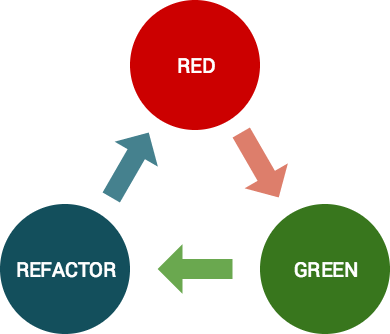
This is a hard discipline, but it will save you hours. Trust me. I spent a couple hours in a red/refactor/red/red/red/red/red/red/red/red/red. Total waste of time. Never again.

Read my other blog posts in this series:
Why TDD
Committing to TDD

6/3/2017

Ok, so what’s a favicon? Possibly my new favourite little bit of code, favicons are the images that display in browser tabs.

You probably recognise most of those icons, right? They’re a quick and easy visual way for a user to orient herself while using the browser.

So I present to you my guide to adding a favicon to a Rails app.

Step 1:
Find the image or logo you want to use as a favicon. Save it to your rails project’s public folder.

Step 2:
Go to your favourite favicon generator online — I quite like Favicomatic. Upload your image and save it as favicomatic.zip (or whatever yours is called) to your public folder. (I already had a favicomatic.zip folder, which is why mine has the (2)).

Step 3:
Grab the HTML code from the website (there are two sizes to choose from) and paste it to your application.html.erb file, just under the title.

Step 4:
Open the favicon folder (here renamed from favicomatic(2) to favicon.zip) in the finder so you can unzip it. It’ll appear as an unzipped folder in your project. Delete the zipped version. Note that the folder MUST be called favicon for Rails to find it.

Step 5:
Refresh your browser and admire your favicon!

PS Hawk-eyed readers will notice that I named this ‘starfleet logo’ in Step 1. Apparently I am unable to tell Star Trek and NASA apart.